


Online shopping has changed in a big way over the past few years. Customers no longer want to simply pick a product and check out. Many of them expect to personalize what they buy. Whether it’s adding a name to a mug, selecting a special color for a product, or choosing gift wrapping before placing an order, customization has become a normal expectation rather than a special feature.
This is where WooCommerce product addons become extremely useful. Instead of limiting customers to fixed variations like size or color, product addons allow store owners to attach extra options directly to the product page. These options can collect information, provide additional choices, or charge extra fees depending on what the customer selects.
For stores selling personalized items, handmade goods, printed merchandise, or configurable products, customization often becomes a key part of the purchase experience. Without the right plugins, however, managing these options can become complicated and difficult to maintain.
In this guide, we will explore how product customization works in WooCommerce, what types of options can be controlled, and how store owners can implement a flexible system using advanced product fields for WooCommerce.
Understanding Product Customization in WooCommerce
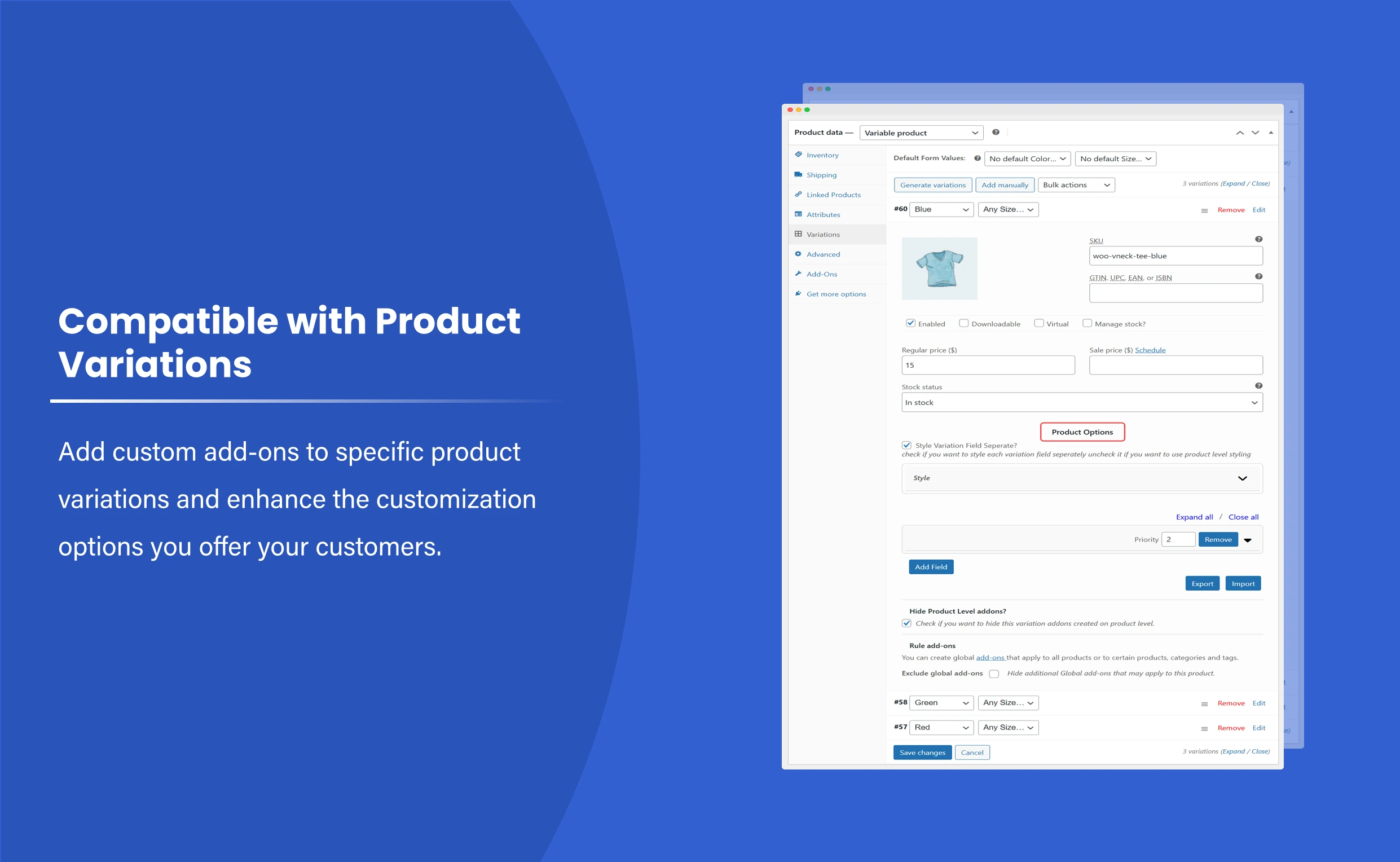
WooCommerce already supports product variations such as size, color, or material. Variations work well when the available choices are fixed and limited. But once a product requires more flexibility, variations alone are usually not enough.
For example, consider a few common situations:
- A customer buying a custom mug may want to add a name or a short message.
- A clothing store might allow buyers to choose embroidery text on a jacket.
- A gift shop may want customers to select packaging styles or include greeting cards.
- A printing service might require file uploads for custom artwork.
Trying to manage these scenarios using only WooCommerce variations quickly becomes messy. Variations are not designed to handle text inputs, file uploads, or conditional fields that appear only when needed.
This is why stores rely on WooCommerce product addons. These addons expand the product page by adding interactive fields that customers can fill out before placing the order.
What Product Addons Allow You to Control
When customization options are added to products, store owners gain control over many different aspects of the purchase process.
Some of the most common elements that can be customized include:
Extra Product Information
Customers can provide additional details that are necessary for the order. These may include:
- Custom engraving text
- Personalized messages
- Delivery notes
- Special instructions
Instead of collecting this information through emails after the order is placed, it can be captured directly on the product page.
Additional Product Options
Product addons allow customers to select optional upgrades or features such as:
- Gift wrapping
- Premium materials
- Additional accessories
- Custom packaging
Each option can either be free or add an extra fee to the order.
Flexible Pricing Based on Choices
Some customization options may increase the final price. For example:
- Charging a fixed fee for gift packaging
- Adding a percentage cost for premium materials
- Charging per character for engraving or printing
These pricing rules allow stores to monetize customization without creating complicated product structures.
Dynamic Product Configuration
Advanced systems allow certain fields to appear only when relevant. For example:
If a customer selects “Engraving”, a text field appears asking for the engraving message.
If “Gift wrapping” is selected, a dropdown appears with packaging styles.
This conditional behavior keeps the product page organized and avoids overwhelming the customer with too many fields.
Approaches to Adding Product Customization in WooCommerce
There are several ways to introduce customization options in a WooCommerce store. Each approach has different levels of flexibility and complexity.
Using Product Variations
Product variations are the simplest option available in WooCommerce. They work well for structured choices like sizes or colors.
However, variations have limitations:
- They cannot collect custom text or messages.
- Managing many variations becomes difficult.
- They do not support conditional display logic.
Because of these limitations, variations are rarely suitable for advanced customization.
Using Custom Code
Developers can extend WooCommerce by writing custom code to add input fields to product pages.
This approach offers full control, but it also comes with several challenges:
- Requires PHP development knowledge
- Needs ongoing maintenance
- Updates can break custom functionality
For most store owners, coding is not a practical solution.
Using Product Addon Plugins
Plugins designed for product customization provide a visual interface where store owners can create fields, configure rules, and manage pricing.
This approach offers several advantages:
- No coding required
- Easy to manage from the WooCommerce dashboard
- Supports conditional logic and dynamic pricing
Because of these benefits, many stores rely on advanced product fields for WooCommerce to handle customization.
Using a Product Addons Plugin to Enable Customization
One of the most efficient ways to offer customizable products is by using a plugin that adds flexible product fields directly to WooCommerce.
A product addons plugin expands the product page by allowing store owners to attach extra options to products or categories. Customers can then interact with these fields before adding items to the cart.
These fields can include:
- Text inputs
- Dropdown selections
- Radio buttons
- Checkboxes
- File uploads
- Date or time selectors
- Color pickers
Instead of creating separate products for every possible configuration, everything is managed within a single product page.
Setting Up Product Customization with WooCommerce Product Addons
Implementing product customization typically involves a few straightforward steps.
Step 1: Install a Product Addons Plugin
Start by installing a plugin that supports flexible product fields and extra options.
Once activated, the plugin will introduce a new section within the WooCommerce dashboard where customization rules can be created and managed.
These rules define which fields appear on product pages and how they behave.
Step 2: Create Custom Product Fields
The next step is to create fields that customers will interact with.
Common field types include:
- Text fields for personalization
- Dropdown menus for selectable options
- Radio buttons for exclusive choices
- Checkboxes for optional add-ons
- File upload fields for custom designs
Each field should have a clear label and instructions so customers understand exactly what information is required.
Step 3: Configure Pricing for Addons
Many customization options carry additional costs. A product addons system allows store owners to define pricing rules such as:
- Fixed price fees
- Percentage-based pricing
- Quantity-based price adjustments
- Character-based pricing for text inputs
These pricing models ensure that customization options are accurately reflected in the final order total.
Step 4: Apply Fields to Products or Categories
Customization rules can be applied in different ways.
Some fields may only appear on specific products, while others can be assigned to entire product categories. For example:
- Engraving options may only appear on jewelry products
- Gift wrapping may appear on all gift-related items
Assigning fields at the category level helps store owners manage large catalogs efficiently
Step 5: Use Conditional Logic to Simplify the Interface
Conditional logic helps keep the product page clean and organized.
Instead of displaying every possible option at once, fields appear only when they are relevant.
For example:
If a customer selects “Add Custom Print,” a file upload field becomes visible.
If a customer chooses “Personalized Text,” a message field appears.
This dynamic behavior improves the user experience and prevents confusion.
Benefits of Offering Customizable Products
Stores that offer product customization often see several improvements in their overall performance.
Increased Average Order Value
Optional add-ons such as premium packaging, engraving, or accessories increase the total order value without requiring additional marketing.
Improved Customer Experience
Customers appreciate having control over their purchases. Customization options help them create products that match their personal preferences.
Reduced Order Confusion
Collecting all necessary details directly on the product page prevents back-and-forth communication after the order is placed.
Stronger Brand Identity
Personalized products create memorable shopping experiences that customers are more likely to share with others.
Conclusion
Customization is becoming an essential part of modern eCommerce. Customers want products that reflect their preferences, whether that means adding a personal message, selecting additional options, or configuring a product before purchase.
While WooCommerce provides a strong foundation for online stores, advanced customization requires additional plugins. By using WooCommerce product addons, store owners can introduce flexible product fields, dynamic pricing, and conditional logic that make customization simple to manage.
Solutions like advanced product fields for WooCommerce allow stores to collect detailed order information while keeping the product page clean and user-friendly.
When implemented thoughtfully, product addons turn standard product listings into interactive shopping experiences. For many stores, that small change can lead to higher order values, better customer satisfaction, and more memorable purchases.
