


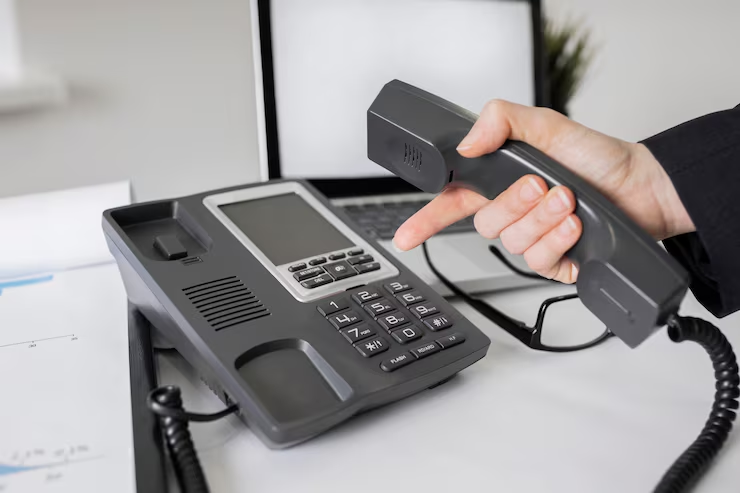
Your office phone system might be costing you more than you think.
Not just in monthly bills, but in missed calls, frustrated clients, and staff who can’t reach each other when it matters most. Traditional phone lines are expensive. They’re also inflexible, and when your business grows, adding new lines becomes a headache you don’t need.
Yealink IP phones offer a way out. They work over your internet connection, which means lower running costs and easier setup. But here’s the thing: many Kenyan businesses buy these phones without understanding what they actually need to make them work properly.
Let’s talk about what you should know before you plug one in.
Why Businesses Are Switching to IP Phones
The appeal is simple. You already pay for the internet. Why not use it for making calls too?
IP phones connect to your network just like a computer does. They don’t need separate phone lines, which cuts down on infrastructure costs. For businesses with multiple locations, this is a big deal. Your Nairobi office can call your Mombasa branch without paying long-distance charges.
But the real benefit shows up when you need to scale. Adding a new employee? Just plug in another phone. No technician visits, no waiting for the telecom company to install new lines.
Perhaps that’s why so many businesses are making the switch. It’s not just about saving money. It’s about having a system that actually works the way modern offices operate.
What You Need Before Setup
Here’s where things get real. You can’t just buy a Yealink phone and expect it to work like magic.
First, check your internet connection. IP phones use something called Voice over IP technology, and it needs stable bandwidth. If your internet already struggles during peak hours, adding phones will make things worse. Calls will drop. Audio will be cut out. Your clients will notice.
Most offices need at least 100 kbps of upload and download speed per phone. That might not sound like much, but remember: it’s per phone. Five phones mean 500 kbps. Ten phones? You do the maths.
You’ll also need a way to manage the phones. This is where a PBX system comes in. Think of it as the brain that tells your phones how to connect calls, transfer them, and handle voicemail. Some businesses use cloud-based systems. Others prefer on-site servers. Both work, but they have different requirements.
Power is another thing people forget. Many Yealink models support Power over Ethernet, which means they can draw power through the network cable. That’s convenient, but your network switch needs to support it. If it doesn’t, you’ll need power adapters for each phone.
Getting the Network Ready
Your network setup matters more than the phone itself.
Start by checking your router. Can it handle the extra traffic? IP phones are sensitive to something called jitter and latency. These are technical terms for delays and inconsistencies in data transmission. Even small delays can make conversations awkward.
Kenya’s internet infrastructure has improved, but it’s not perfect. Power outages still happen. Internet providers have their moments. You need backup plans.
A good uninterruptible power supply helps. When the power goes out, your router and phones stay online long enough to finish important calls. Some businesses also keep a backup internet connection from a different provider. It costs more upfront, but it’s cheaper than losing business during downtime.
Network security is something else to think about. IP phones are computers, essentially. They can be hacked if you’re not careful. Change default passwords. Use VLANs to separate phone traffic from regular data. Keep firmware updated.
These steps sound tedious, and maybe they are. But they prevent problems before they start.
The Actual Setup Process
Once your network is ready, setting up the phones is straightforward.
Unbox the phone. Connect the network cable. If you’re using PoE, that’s all the cabling you need. If not, plug in the power adapter.
The phone will boot up and search for a PBX server. This is where things can get tricky if you haven’t configured your system properly. The phone needs to know where to find the server and how to authenticate itself.
Most Yealink phones use auto-provisioning. You set up a configuration file on your server with all the settings: extension numbers, SIP credentials, ringtone preferences. The phone downloads this file and configures itself. It saves time, especially if you’re setting up dozens of phones.
Manual configuration works too. You access the phone’s web interface through a browser, type in the IP address, and enter settings one by one. It’s slower, but you have more control.
Testing is critical. Make test calls between extensions. Call external numbers. Check if call transfer works. Test the hold function. Make sure voicemail connects properly.
If something doesn’t work, the problem is usually in the network settings or PBX configuration. Double-check IP addresses. Verify that firewall rules aren’t blocking SIP traffic.
Common Problems You’ll Face
Every business hits snags during setup. Some are predictable.
One-way audio is frustrating. You can hear the other person, but they can’t hear you. Or vice versa. This usually happens because of firewall settings or NAT configuration issues. Your IT person needs to open specific ports and configure your router correctly.
Echo is another complaint. You hear your own voice bouncing back during calls. This can be a network issue, but sometimes it’s just a bad handset or speaker settings. Yealink phones have echo cancellation features built in, but they need proper configuration.
Registration failures mean the phone can’t connect to your PBX. Check your credentials. Make sure the SIP server address is correct. Verify that your firewall isn’t blocking the connection.
Call quality problems usually trace back to bandwidth or network congestion. If everyone in the office is streaming videos while you’re on a call, you’ll hear it. Quality of Service settings on your router can prioritize voice traffic over other data.
Some businesses never figure these issues out on their own. They end up calling someone who knows the systems. There’s no shame in that. Phone systems are meant to work, not give you headaches.
Making It Work Long-Term
Setup is just the beginning. Keeping things running smoothly takes ongoing effort.
Firmware updates matter. Yealink releases them regularly to fix bugs and add features. Schedule updates during off-hours so they don’t disrupt business. Back up your configuration files first, just in case.
Monitor your system. Watch for patterns in call quality issues. If problems happen at specific times, that tells you something about your network or internet connection.
Document everything. Write down how phones are configured. Keep a list of extension numbers and who uses them. When someone leaves or joins the company, you’ll know exactly what needs changing.
Build relationships with reliable vendors. When you need support or want to expand, having someone who knows your setup saves time and frustration.
Your phone system should work quietly in the background. When it does, you barely notice it’s there. That’s the goal.
